Configure Detail Tests (React)
|
This section covers the React implementation. For Angular, see Configure Detail Tests (Angular). |
ACTION D11
- Configure Detail Tests
-
In alignment to the adaptations made in the detail component, you will also need to adapt the generated tests for the detail component. This includes updating the test data and expected results in the test files to reflect the changes made to the detail component, such as the property definitions and the structure of the detail view.
This ensures that the tests accurately validate the functionality of the detail component based on the customized implementation.
Detail Component
Location of Detail Component Tests
| Directory |
|
| File |
|
| File |
|
Tests for the book
| Directory |
|
| File |
|
| File |
|
Update the test data in the test file to reflect the expected structure and values based on the customized detail component implementation.
ACTION D11 in <resource>-details.hook.test.ts
import { renderHook, waitFor, act } from '@testing-library/react';
import { useBookDetails } from './book-details.hook';

  it('should fetch details when id is provided', async () => {
    const mockDetails = {
      id: 'test-id',
      modificationCount: 0,
      // ACTION D11: Add additional fields to match your implementation
    };

    mockService.getBookById.mockResolvedValue({
      data: { resource: mockDetails }
    });

    const { result } = renderHook(() => useBookDetails(mockService));

    await act(async () => {
      await result.current.fetchDetails('test-id');
    });

    await waitFor(() => {
      expect(result.current.details).toEqual(mockDetails);
    });
  });
ACTION D11 in <resource>-details.page.test.tsx
(useBookDetails as any).mockReturnValue({
  details: {
    id: 'test-id',
    modificationCount: 0,
    // ACTION D11: Adjust test data to match your detail properties
  },
  loading: false,
  error: null,
  fetchDetails: vi.fn(),
});
ACTION D12
- Adjust API Request Structure
-
When using edit mode in React, you may need to adjust the API request structure to match your backend’s expected signature. The generated code uses a type cast (
as any) for flexibility, but you should update it to match your actual API requirements.
| Directory |
|
| File |
|
ACTION D12 in <resource>-details.hook.ts
const updateDetails = useCallback(async (updatedDetails: BookDetails) => {
  if (!details?.id) return false;

  setIsSubmitting(true);
  setError(null);
  try {
    // ACTION D12: Adjust request structure to match your API signature
    // The API expects: updateBookById(id: string, updateRequest: UpdateBookRequest)
    // You may need to transform updatedDetails to match the UpdateRequest structure
    await bookService.updateBookById(
      details.id,
      updatedDetails as any
    );
    setDetails(updatedDetails);
    return true;
  } catch (err) {
    setError(err instanceof Error ? err.message : 'Failed to update details');
    return false;
  } finally {
    setIsSubmitting(false);
  }
}, [details, bookService]);
Execute Tests
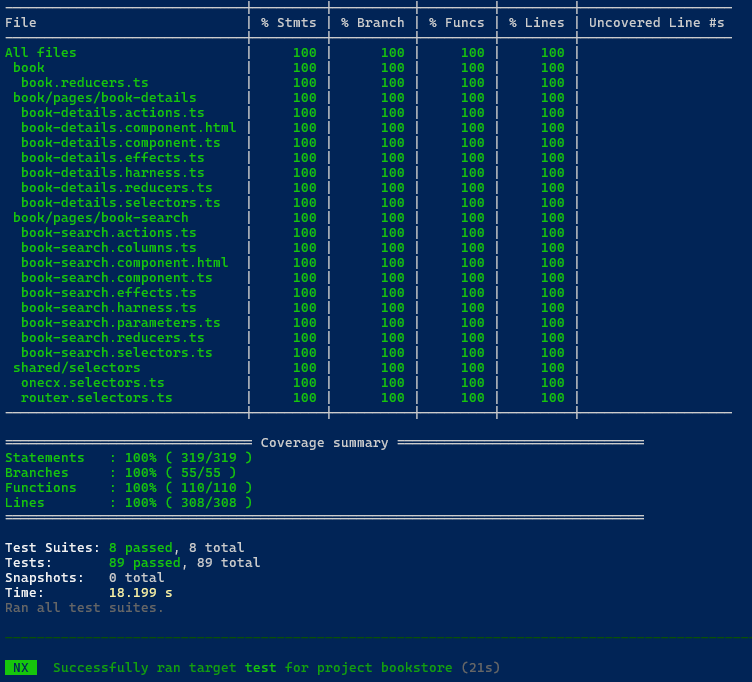
After adapting the tests, you can execute them to ensure that they are working correctly and validating the functionality of the detail component as expected.
Use the following command to run all tests:
npm run testThis will execute the test suite and provide feedback on the success or failure of the tests based on the adapted test cases and expected results.
Make sure to review the test results and address any issues that may arise to ensure that your detail component is functioning correctly and meets the desired requirements.