Troubleshooting Common Errors
This page provides information for how to troubleshoot common problems and errors.
General Advice
-
Make sure you are using the latest version of onecx-local-env.
-
Make sure your system meets the prerequisites for running onecx-local-env.
-
If you encounter an error, carefully read the error message and any accompanying logs. They often provide valuable clues about the root cause of the issue.
-
Check the official OneCX documentation and community forums for similar issues and solutions.
-
If the problem persists, consider reaching out to OneCX support or community forums for assistance.
-
When reporting an issue, provide detailed information about your environment, the steps to reproduce the problem, and any relevant logs or error messages.
Common Pitfalls
-
Insufficient System Resources: Ensure your system has enough CPU, memory, and disk space to run the OneCX Local Environment smoothly.
-
Network Issues: Verify that your network connection is stable and that there are no firewall or proxy settings blocking necessary connections.
-
Incorrect Configuration: Double-check your configuration files for any typos or incorrect settings.
-
Outdated Software: Ensure that all required software dependencies are up-to-date.
-
Are you working within WSL on Windows? Please see the prerequisites for important notes on using WSL.
Known Docker Issues
Docker is not perfect and sometimes issues may arise that are related to Docker itself rather than onecx-local-env. Here are some common Docker-related issues and their solutions:
-
Docker Daemon Not Running: Ensure that the Docker daemon is running before starting the OneCX Local Environment.
-
Port Conflicts: Check for any port conflicts with other applications running on your system.
-
Network Issues: Docker networking can sometimes be problematic. Cleanup Docker networks if you encounter networking issues.
Cleanup Docker Resources
If you encounter persistent issues, it may be helpful to clean up Docker resources used by OneCX Local Environment.
Remove unused Docker resources with the following commands:
docker system prune -a
docker volume prune
docker network prune|
Be cautious when using these commands, as they will remove all unused Docker resources, which may affect other Docker containers and applications on your system. |
In case OneCX is already running, you can stop it with cleanup of volumes by executing:
./stop-onecx.sh -cThis will remove all volumes used by OneCX Local Environment, which can help resolve issues related to corrupted or inconsistent data.
|
Please note that this will delete all data stored in the volumes, so use this option with caution. |
Now you can cleanup any remaining Docker resources as described above and start OneCX again.
Specific Issues
Status Code "000" on Imports
The issue occurs when the script import-onecx.sh is executed (importing OneCX data)
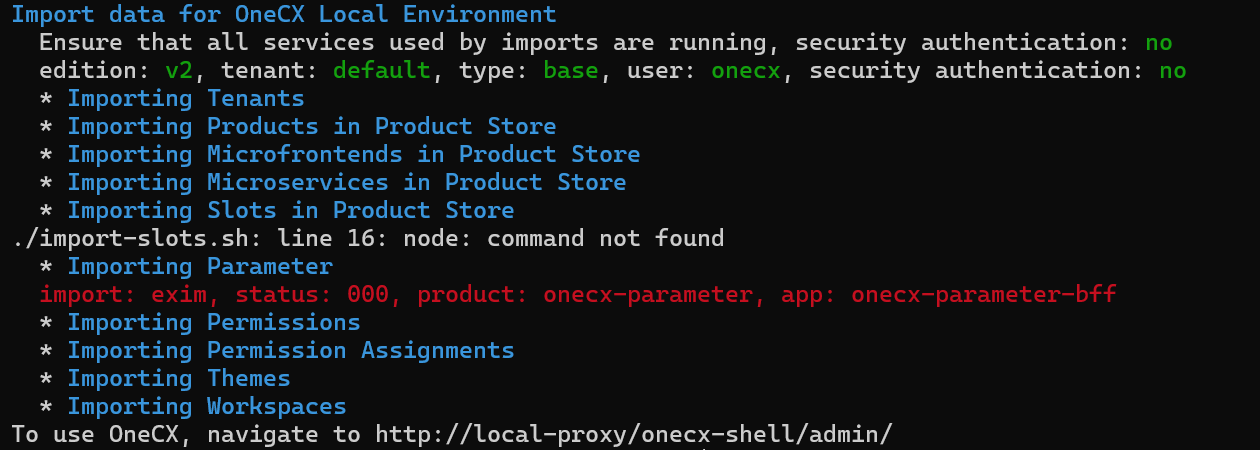
-
Check if the hosts file is up-to-date. See Setup hosts instructions. Add missing entries if necessary.
-
Restart import with
./import-onecx.sh -x
Status Code "401" on Starting
The problem occurs after logging into OneCX, although the start and import itself were successful.
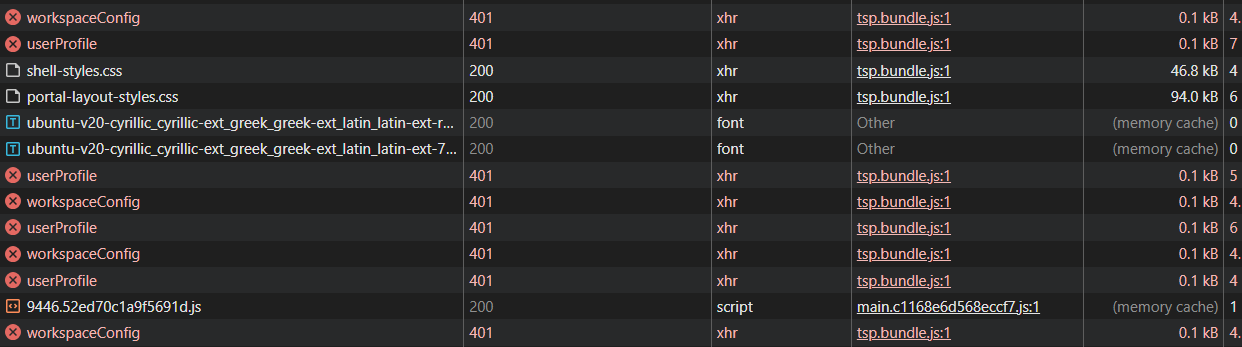
-
Stop the services with cleanup (remove volumes)
-
Cleanup Docker resources as described above
-
Start again
PostgresDB Container fails on Start up
The problem occurs when the version of the PostgreSQL database was changed without renew the affected database volumes.
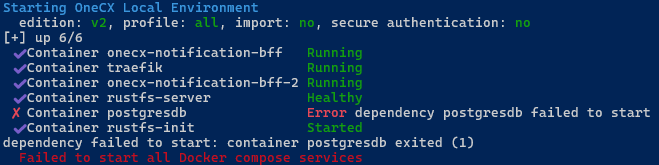
-
Stop the services with cleanup (remove volumes)
-
Start again
Failed Services on Start up
The problem occurs when some services cannot be started successfully even after several attempts and timeouts.
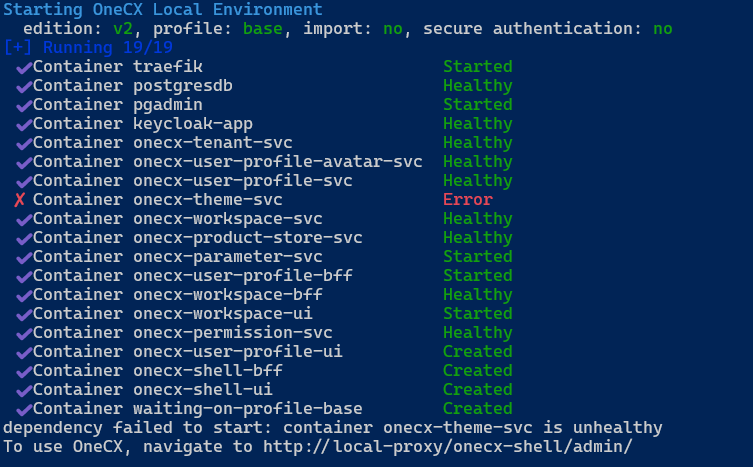
-
Start again
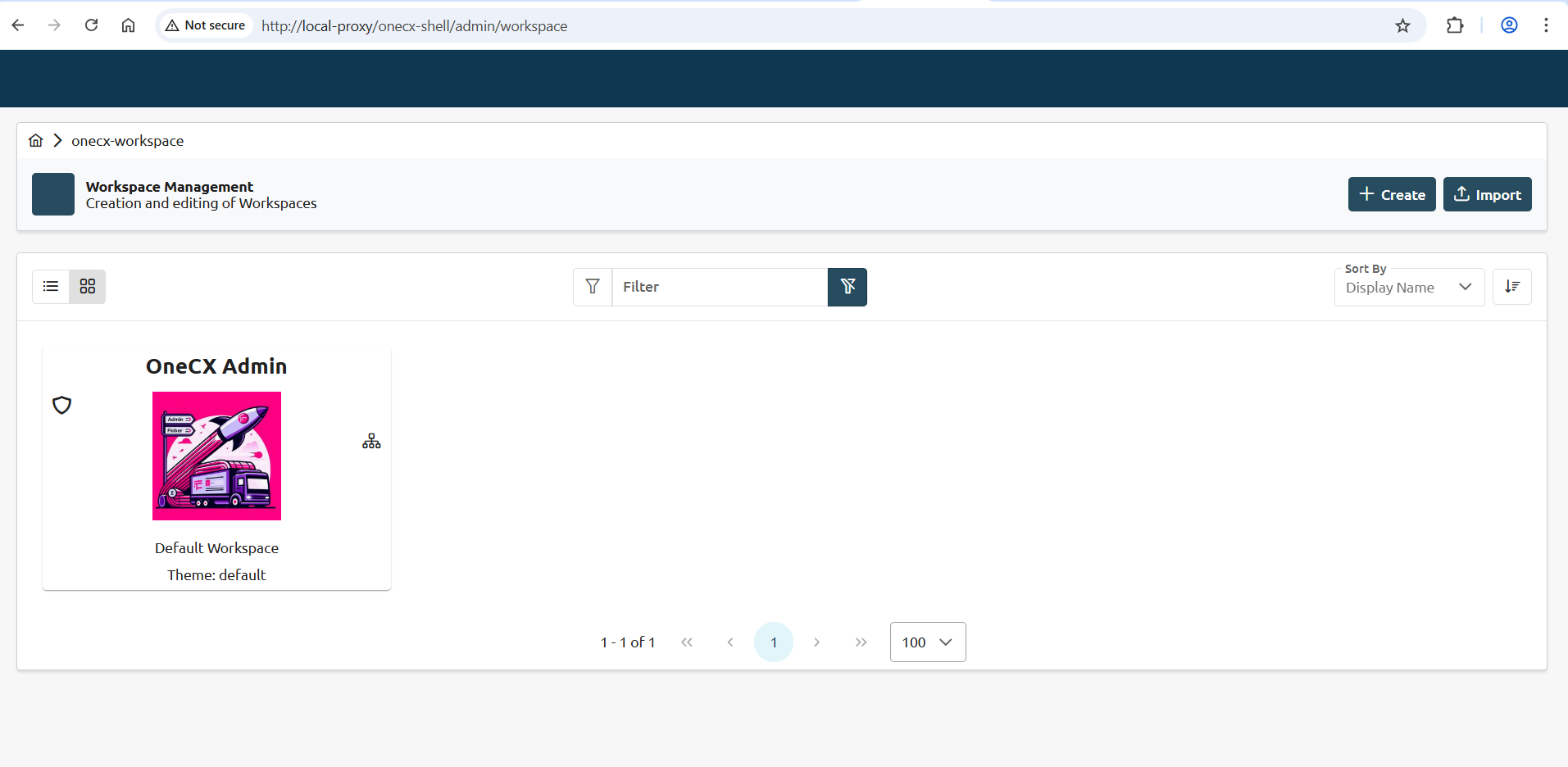
Missing Menu in Browser
The problem occurs sometimes after succesful starting the services
-
Remove Browser Cache & Cookies
-
Refresh browser
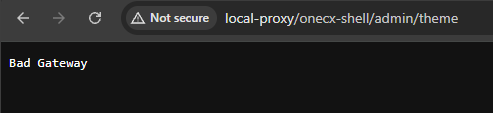
Bad gateway in Browser
The problem occurs sometimes after succesful starting the services
-
Start again
-
Refresh browser
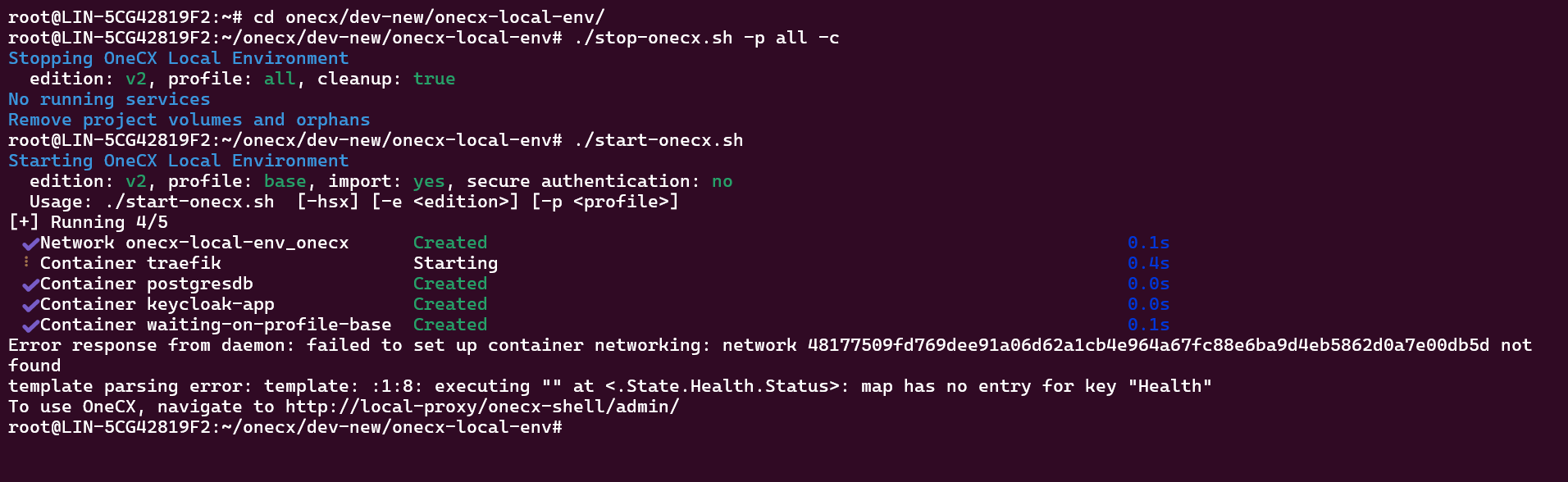
Failed to set up Networking
The problem occurs when during start up there are collisions between Docker networks.
Error response from daemon: failed to set up container networking
-
Remove all Docker networks with
docker network prune -
Start again
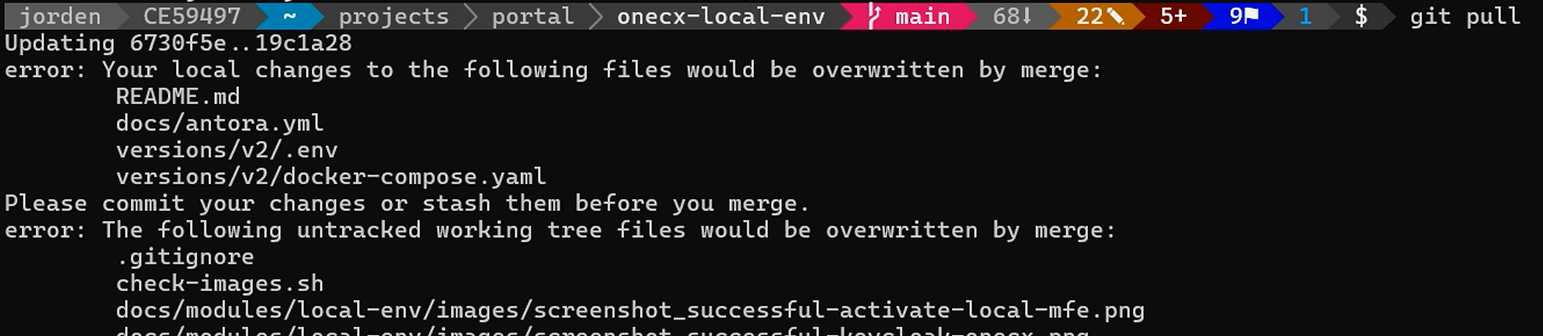
Cannot successful pull
The issue occurs if the repository is updated with git pull (get latest version of onecx-local-env)

-
Remove the active directory of Traefik manually by execution of
sudo rm -rf init_data/traefik/active -
Reset the local repo (all other changes will be lost)
git reset --hard origin/main