Initial Data in OneCX Local Environment
The OneCX Local Environment contains data required for initial startup. This data is usually automatically imported after the services have started.
This is an overview of the data and how its organized.
| Data Type | Managed by | Description |
|---|---|---|
Assignments |
Relationship between roles and permissions |
|
Bookmarks |
Bookmarks for quick access to frequently used items |
|
Parameters |
Used by some applications |
|
Permissions |
Declared and used in applications. |
|
Products (Applications) |
Application data (components, slots etc.) |
|
Tenants |
Represents a customer or organizational unit using OneCX |
|
Themes |
Customizing the look and feel of OneCX for a tenant |
|
Workspaces |
Customizing the working areas for users |
|
AI |
AI Services |
Configuration and data for AI Chat functionalities |
How the Data are organized and imported
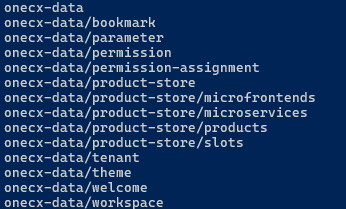
The directory onecx-data in the onecx-local-env repository contains all data files and scripts needed to import data into the OneCX Local Environment.
The import-onecx.sh script is used to import data needed by the OneCX services. It can be run from the root directory of the onecx-local-env repository. It starts several scripts that import data for the different services. All data files are in JSON format and usually related to a tenant or an application.
The import scripts are using node.js and jq for reading the data, split them in batches and call the respective service APIs to import the data. Each script is responsible for importing a specific type of data, e.g. workspaces, themes, permissions, etc.