Import OneCX Data
To operate a local OneCX, some services require initial data, e.g. the theme, the admin workspace, permissions, etc.
The import-onecx.sh script is used to import data needed by the OneCX services. It can be run from the root directory of the onecx-local-env repository.
./import-onecx.sh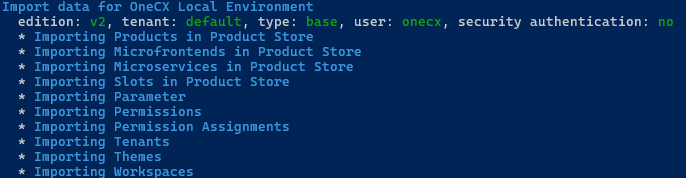
|
The imports are executed without overwriting data that already exists in the services. |
Available Options
The script accepts several optional options to customize its behavior. Some options can be combined. The options are:
- -d
-
Specify a set of data to be imported (all, base) or a specific data type like workspace, theme etc.
-
base (Default).
-
all
-
one of [ ai, bookmark, assignment, parameter, permission, mfe, ms, product, slot, tenant theme, welcome, workspace]
-
- -e
-
The edition of OneCX. This must match the edition that was used to start the environment. Supported editions are:
-
v2 (Default).
-
v1
-
- -h
-
Displays help information about the script and its available options. If used then all other options are ignored.
- -s
-
Secure authentication enabled, default not enabled (value is inherited from start-onecx.sh). Automatically set on tenant-specific imports.
Once Docker services have been started with the security option enabled, all subsequent actions require an authenticated user. For example, an import operation must then be started with the -s option to succeed.
- -t
-
Define the tenant for tenant-specific imports (e.g., workspace and theme data). When using a tenant other than the default tenant, the security option is enabled, and a suitable user is used for the import. The user is authorized, the tokens are retrieved, and the import is then executed using the tokens in the request header. This is why the security option is enabled for this process.
Tenants (corresponding to the tenant data imports):-
default (default)
-
t1
-
t2
-
- -v
-
Verbose: display details during import of objects
- -x
-
Skip checking running Docker services
When used, Docker does not check whether services require authentication. Please use the same security settings as when starting with start-onecx.sh.
Examples
Import ALL data
Import all available OneCX data as:
-
Non-tenant specific data
-
Tenant data for default tenant
Before the import, a check is performed to ensure that all required services are already running. Any missing services are started.
./import-onecx.sh -d allImport specific data, skip check
Only workspace data is imported. If the data are tenant-specific data then the default tenant is used (use flag -t for a different tenant).
With -x running services are not checked beforehand. If a required service is not running, corresponding imports will fail.
./import-onecx.sh -d workspace -xImport Tenant data
Import OneCX data for a specific tenant, e.g. t1. In general, not all data types are tenant-specific. The tenant-specific data types include, for example, workspace and theme data. When importing tenant-specific data, the security option is enabled, and the import is performed using an authorized user.
./import-onecx.sh -t t1 -x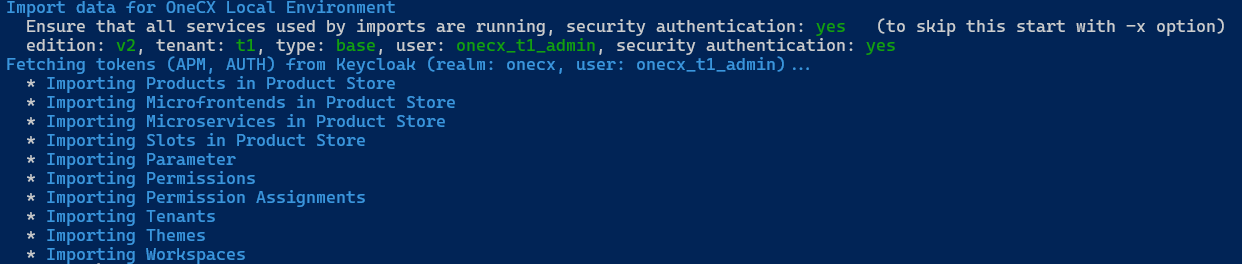
|
If you want only import tenant-specific data but do not working afterwards with secure authentication then execute the start-onecx.sh script without -s option again. This reset the security option on running services. |