Create a Feature Module
- What is a Feature Module?
-
A feature Module is a modular unit of functionality that encapsulates a specific feature or set of related features within an UI Application. It is designed to promote code reusability, maintainability, and separation of concerns by grouping related components, services, and state management logic together.
In Angular, feature modules are NgModules for the purpose of organizing code.
|
The Feature Module created with the OneCX App Generator is only the base of a functional module. |
Generate a Feature Module
The current working directory must be the root of an existing OneCX UI Application.
| Directory |
|
nx generate <namespace>/nx-plugin:feature <feature> --resource=<resource>with:
| <namespace> |
The base namespace of the project where the application is part of. |
| <feature> |
The name of the generated feature module. |
| <resource> |
Optional. The name of the resource entity for which the feature module is generated. |
Next, you will be asked if you would like to adapt the names for the generation.
If you answer No, the generator will use the preset resource name to derive the names for the feature module and other generated parts.
If you answer Yes, you can specify a name for the API in the following questions. This can be helpful if you want to customize an existing API.
The generator will create a new feature module with the specified name and set up the necessary structure and configurations.
Next steps may create components, services, and state management logic within the feature module as needed, e.g. create a search component.
Key Naming Conventions
-
src/app/<feature>/
Directory for the feature module and its related files -
<feature>Module
Name for the feature module -
/<feature>/
Default route path for the application feature, seeapp-routing.module.ts.
Routing Configuration
The generator will automatically configure the routing for the generated feature module.
It will add a new route to the application’s main routing module (e.g. app-routing.module.ts) to lazy load the feature module when the specified route is accessed.
The route path will be derived from the feature name, e.g. /book/ for a feature module named "book".
You can further customize the routing configuration as needed after the generation.
Example
Create a Feature Module
Create a feature module book inside the application named bookstore to manage book data.
Execute the following command with the bookstore application as current working directory. Define the resource name as Book to generate a feature module for managing the entity Book.
nx generate @onecx/nx-plugin:feature book --resource=BookThis command will generate a new feature module named book with the necessary structure and configurations. The preset resource name Book will be used to derive the names for the generated components and services related to managing book data.
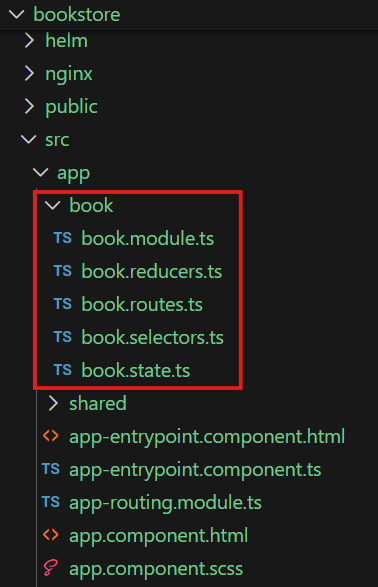
Routing
The generator will add a new route to the application’s main routing module (e.g. app-routing.module.ts) to lazy load the book feature module when the /book/ route is accessed.
You can further customize the routing configuration as needed after the generation, e.g., to add child routes for different components within the book feature module.
export const routes: Routes = [
  {
    // Adjust the matcher to match the feature route.
    // If you only have one feature, you can use '' for simplification.
    matcher: startsWith('book'),
    loadChildren: () =>
      import('./book/book.module').then((mod) => mod.BookModule),
  },
];
Testing
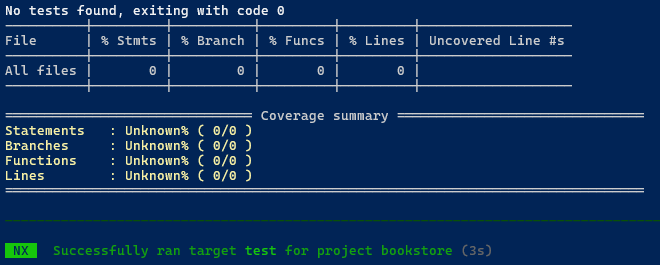
The generator does not create test cases for the feature module itself, but it neverthless it is a good practice to run the tests after generating the feature module to ensure that the existing functionality of the application is not broken and everything is working as expected.
Use the following command to run the tests:
npm run test