Create a Simple NgRx Page
This guide describes how to create a simple NgRx page using the OneCX App Generator.
A simple NgRx page refers to an NgRx component with its associated state management (actions, reducers, effects, selectors), but without specific business logic or UI elements. Only a page title is displayed.
This can be done if you have already set up an initial Application with an feature.
|
When we talk about creating a simple NgRx page, the generator creates a page component as part of a feature module. |
Create NgRx Page
Follow these steps:
-
Open a terminal and navigate to the root directory of your OneCX application where you want to add the new NgRx page.
-
Run the following OneCX App Generator command.
The feature parameter is optional and can be used to specify the feature module where the NgRx page should be created. If not provided, the generator prompt you to specify a feature module.Generate page/componentnx generate @onecx/angular-generator:ngrx-page [feature module] -
Follow the prompts to provide details like the page component name and the page title.
That’s it. -
Navigate in your browser to the new component using the the component name as route.
Example
To create a simple NgRx page named "Hello" under the "Hello World" feature module, you would run:
nx generate @onecx/angular-generator:ngrx-page hello-worldWhen prompted, you would enter "Hello" as the component name and "Hello World" as the page title.
To access the newly created component, navigate to <your app-base-path>/hello-world/hello in your browser.
http://onecx.localhost/onecx-shell/admin/hello-world/hello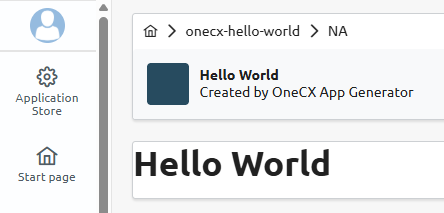
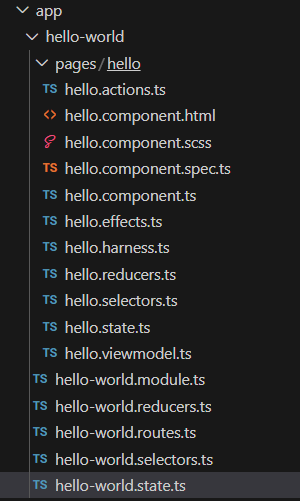
Here is an overview of the files generated by the OneCX App Generator for the "Hello" component below the hello-world feature module: