Create a Backend for Frontend
- What is a Backend for Frontend?
-
A Backend for Frontend (BFF) is a backend service tailored to a specific frontend application. It acts as an API layer between the frontend and backend services and adapts backend APIs to frontend requirements.
more details about BFF you can find in the link below: https://onecx.github.io/docs/documentation/current/docs-guides-quarkus/quarkus-bff.html
|
The BFF project created with the OneCX BFF Generator is the base of a functional Backend for Frontend application. You will need to further review, develop and customize the generated controllers, mappers and configuration to meet your specific API contracts, integration requirements and business logic. |
Generate a Backend for Frontend (BFF)
The generator creates a Quarkus-based Backend for Frontend project from frontend and backend OpenAPI definitions.
The creation of a new BFF project takes a while, as the generator sets up a complete Maven project with application configuration, controller skeletons, mapper classes, OpenAPI integration, test scaffolding, Docker files, Helm chart files and GitHub Actions workflow files.
Releases of generator:
Download the latest release of the generator from GitHub and save it as onecx-bff-generator.jar in your desired directory.
curl -L -o onecx-bff-generator.jar \
https://github.com/onecx/onecx-bff-generator/releases/download/<version>/onecx-bff-generator.jar
Use generator with following command:
java -jar onecx-bff-generator.jar create-bff \
  --name onecx-demo-bff \
  --group org.tkit.onecx \
  --package org.tkit.onecx.demo.bff \
  --frontend-api ./openapi/frontend.yaml \
  --backend-api ./openapi/backend.yaml \
--autobuild| Flag | Description |
|---|---|
|
Builds the generated BFF project after generation. If you want to build it manually, you can omit this flag and run |
|
Specifies the generated BFF project name. If |
|
Specifies the Maven |
|
Specifies the base Java package of the generated BFF project. If omitted, the package is derived from |
|
Specifies the path or URL to the frontend OpenAPI specification. This API represents the contract exposed by the generated BFF. |
|
Specifies the path or URL to the backend OpenAPI specification. This API represents the backend service consumed by the generated BFF. |
|
Specifies the Maven |
|
Specifies the output directory where the generated BFF project should be created. If omitted, the current directory is used. |
|
The generator automatically resolves the latest release versions of |
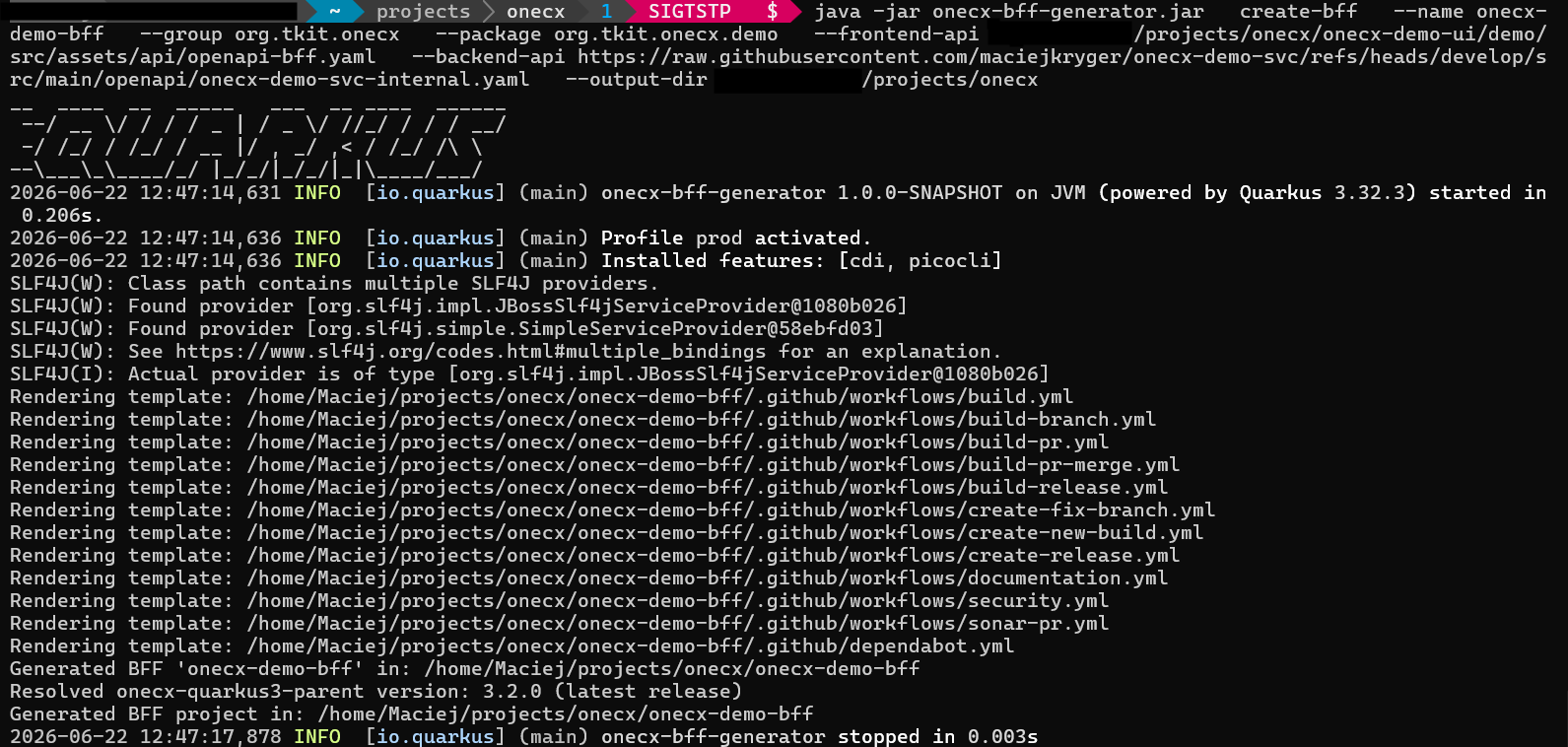
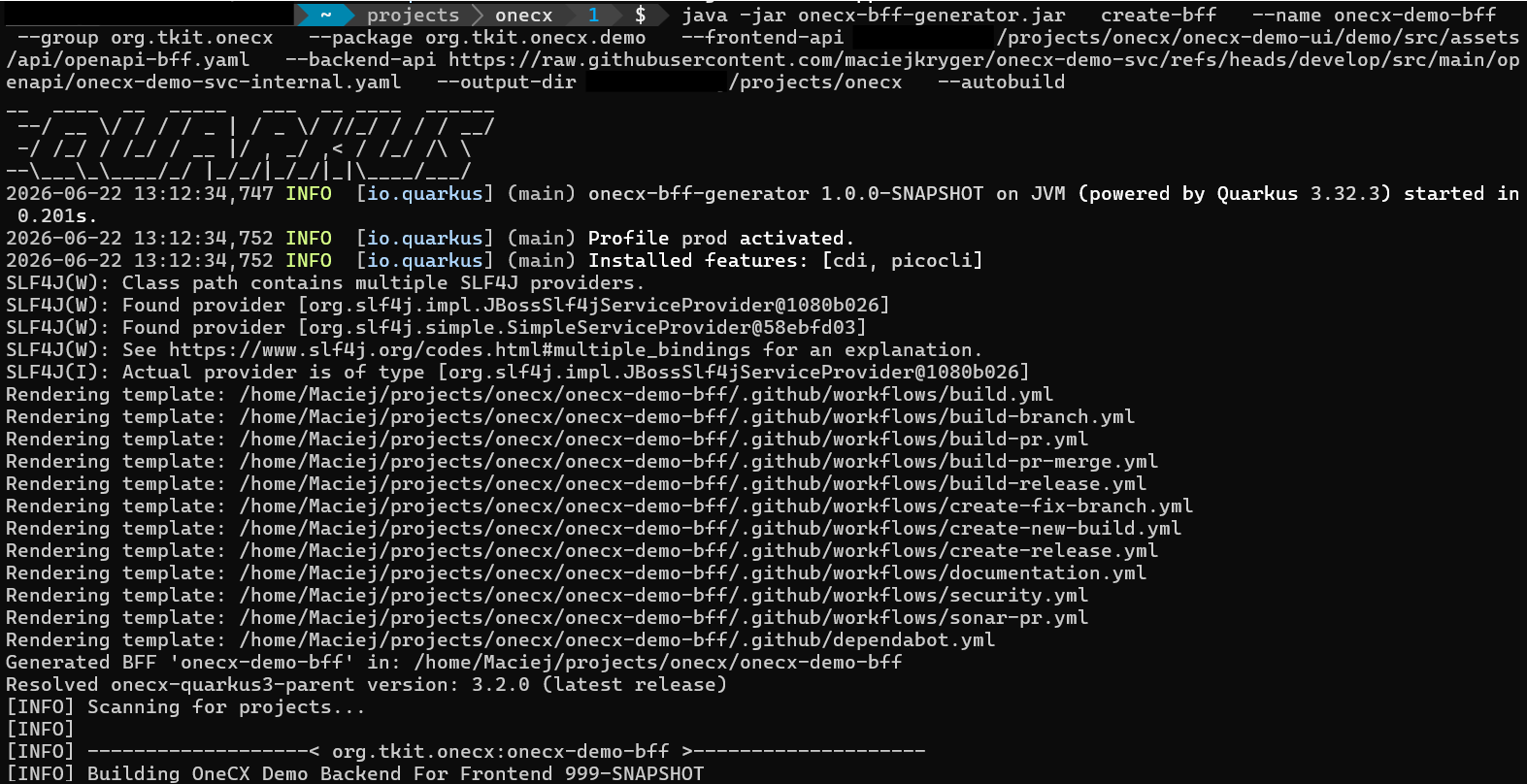
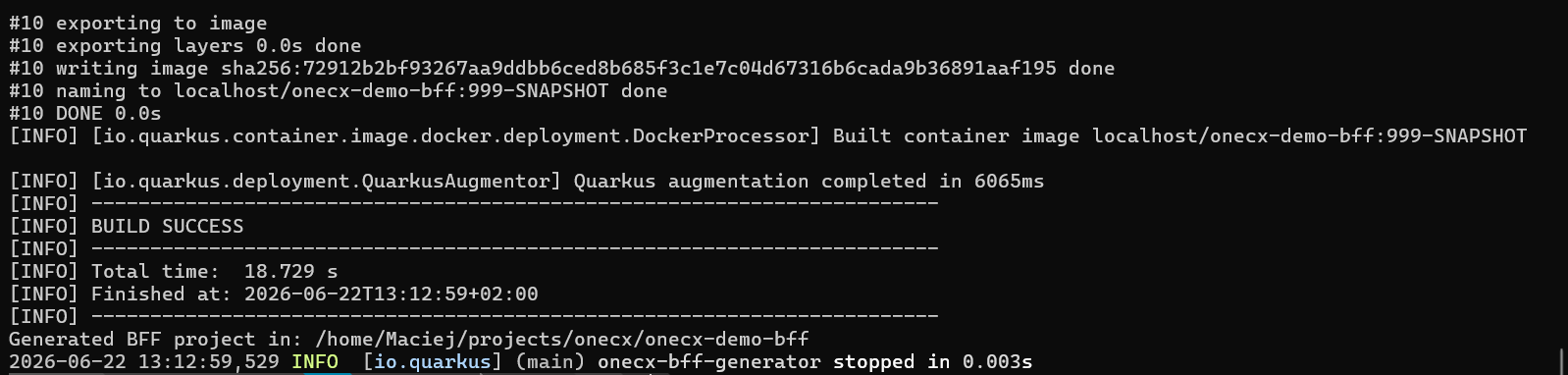
The generator creates a new directory with the name provided by the --name flag and sets up the OneCX basic BFF structure for controller, mapper, API integration and tests.
Please note that the project name from your command is used as base for some essential application parts as following:
-
onecx-demo-bff
Project name
Maven artifact ID, unless explicitly overridden
Helm chart name for deployment and microservice registration in OneCX
Application metadata -
org.tkit.onecx.demo.bff
Package name for the generated BFF
Copy-Paste Example
The following example can be used in a typical local OneCX workspace. It assumes that the UI and SVC repositories are checked out below ~/projects/onecx.
export ONECX_HOME="${ONECX_HOME:-$HOME/projects/onecx}"

curl -L -o onecx-bff-generator.jar \
https://github.com/onecx/onecx-bff-generator/releases/download/<version>/onecx-bff-generator.jar

java -jar onecx-bff-generator.jar create-bff \
  --name onecx-demo-bff \
  --group org.tkit.onecx \
  --package org.tkit.onecx.demo.bff \
  --frontend-api "$ONECX_HOME/onecx-demo-ui/demo/src/assets/api/openapi-bff.yaml" \
  --backend-api "$ONECX_HOME/onecx-demo-svc/src/main/openapi/onecx-demo-svc-internal.yaml" \
  --output-dir "$ONECX_HOME" \
--autobuildLocal Development Example
If you build the generator locally, you can run it directly from the generated JAR.
cd ~/projects/onecx/onecx-bff-generator
mvn -DskipTests clean package -Dquarkus.package.type=uber-jar

export ONECX_HOME="${ONECX_HOME:-$HOME/projects/onecx}"

java -jar "$ONECX_HOME"/onecx-bff-generator/target/onecx-bff-generator-1.0.0-SNAPSHOT-runner.jar create-bff \
  --name onecx-demo-bff \
  --group org.tkit.onecx \
  --package org.tkit.onecx.demo.bff \
  --frontend-api "$ONECX_HOME"/onecx-demo-ui/demo/src/assets/api/openapi-bff.yaml \
  --backend-api https://raw.githubusercontent.com/maciejkryger/onecx-demo-svc/refs/heads/main/src/main/openapi/onecx-demo-svc-internal.yaml \
  --output-dir "$ONECX_HOME" \
--autobuildOpenAPI Input
The BFF generator requires two OpenAPI specifications:
- Frontend OpenAPI
-
Defines the API exposed by the generated BFF to the frontend application.
- Backend OpenAPI
-
Defines the backend API consumed by the generated BFF.
Example:
java -jar onecx-bff-generator.jar create-bff \
  --name onecx-product-bff \
  --group org.tkit.onecx \
  --package org.tkit.onecx.product.bff \
  --frontend-api ./openapi/product-frontend.yaml \
--backend-api ./openapi/product-backend.yamlIf the backend OpenAPI is available as URL, it can also be provided directly:
java -jar onecx-bff-generator.jar create-bff \
  --name onecx-product-bff \
  --group org.tkit.onecx \
  --package org.tkit.onecx.product.bff \
  --frontend-api ./openapi/product-frontend.yaml \
  --backend-api https://example.org/openapi/product-backend.yaml
copy-paste URL example:
export ONECX_HOME="${ONECX_HOME:-$HOME/projects/onecx}"

curl -L -o onecx-bff-generator.jar \
https://github.com/onecx/onecx-bff-generator/releases/download/v0.1.1/onecx-bff-generator.jar

java -jar onecx-bff-generator.jar create-bff \
--name onecx-demo-bff \
--group org.tkit.onecx \
--package org.tkit.onecx.demo \
--frontend-api "ONECX_HOME/onecx-demo-ui/demo/src/assets/api/openapi-bff.yaml" \
--backend-api https://raw.githubusercontent.com/maciejkryger/onecx-demo-svc/refs/heads/main/src/main/openapi/onecx-demo-svc-internal.yaml \
--output-dir "ONECX_HOME" \
--autobuild
Build the Generated BFF
If the BFF was generated without --autobuild, build the project manually:
cd onecx-demo-bff
mvn clean package
If you want to skip tests during a local build, use:
mvn clean package -DskipTestsGenerated Project
The generated project contains:
-
Maven project configuration
-
Quarkus application configuration
-
REST controller skeletons
-
mapper classes
-
generated test scaffolding
-
OpenAPI integration setup
-
Docker files
-
Helm chart files
-
GitHub Actions workflow files
-
Test for jacoco coverage at least 80%
|
Generated controller and mapper classes are a starting point. You should review and adapt the generated API mappings before using the BFF in a real environment. |
Next step may be to review and customize generated API mappings and controller implementation.