Application Setup
Make sure that the application is set up correctly to work in the environment. Review the required setup steps in Required Setup first. Regardless of the used local development strategy, the following should be checked:
-
exposedModuleis set to the correct module name -
tagNameis set to the correct tag name -
remoteEntryurl is set to the correct url -
shareScopeis set to the correct share scope for the app configuration (some apps will not work correctly without it, e.g. an app using a newer Angular major version than the shell’s default share scope)
Depending on the used local development strategy, those values should be set in different places (data imports for the local environment, values.yaml of the application, or manual configuration on the OneCX platform via the Application Store and Workspace UIs).
Remote entry URL
Verify that the configured remoteEntry URL matches the URL where the app is actually running and that remoteEntry.js is directly reachable there. For example, if the app is expected at http://localhost:4200, open http://localhost:4200/remoteEntry.js in the browser or request it directly and confirm that it loads successfully.
The setup and expected local URL are described in Expose a Remote Module.
Remote module name
Verify that the remote module name in your module federation configuration (module-federation.config.js or webpack.config.js, depending on your setup) is the same as the remote module setting in the Application Store.
Navigate to the Application Store → open the app → click on the 'Components' tab → open the 'Module' UI component → check the app ID:
module-federation.config.js |
Application Store |
|---|---|
|
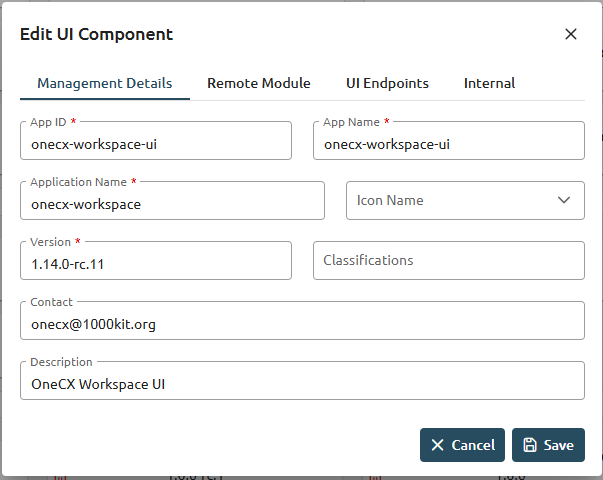
|
Tag name
Verify that the tag name for the component is the same as the tag name set in the Application Store:
values.yaml |
Application Store |
|---|---|
|
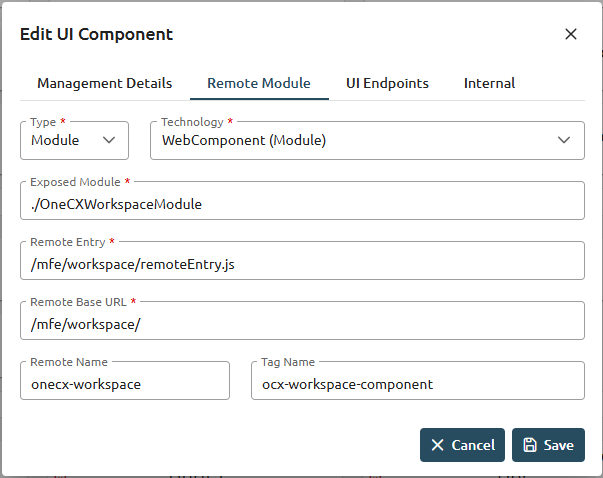
|
Share scope
Verify that the app (and, where applicable, its individual microfrontends) is assigned to the correct shareScope. Not every app requires an explicit shareScope, but some configurations will not work correctly without it — for example, an app that must be shared under a specific Angular major version’s scope rather than the shell’s default scope.
values.yaml share scope configurationapp:
operator:
microfrontend:
spec:
shareScope: 'angular_21' # this app should be loaded into the 'angular_21' share scopeSee Share Scopes for the full explanation of how share scopes are assigned and which scope an application should use.