Create a Backend Service
- What is a Backend Service?
-
A Backend Service is an autonomous microservice application responsible for handling core business logic, data management, and system integrations.
It acts as the structural backend layer that processes data, manages persistence, and exposes capabilities through standardized interfaces such as REST or GraphQL APIs. A backend service can function fully independently or interoperate within a larger, distributed microservices architecture, communicating with other components to deliver comprehensive business capabilities.
More details about SVC you can find in the Quarkus SVC Guide.
|
The service created with the OneCX SVC Generator contains only the base of a functional backend service. |
Generate the Service
The OneCX SVC Generator creates a Quarkus-based backend service project following the standard OneCX service structure. It generates the basic project setup, application configuration, Maven build configuration, Docker and Helm files, OpenAPI skeleton, and optional GitHub Actions workflow files.
Get the Generator
Overview of releases: OneCX SVC Generator Releases
curl -L -o onecx-svc-generator.jar \
https://github.com/onecx/onecx-svc-generator/releases/download/v0.1.4/onecx-svc-generator.jar
Create the Service
As the first step, the initial service project structure is created, and then entities are added to the project.
The creation of a new service project takes a while.
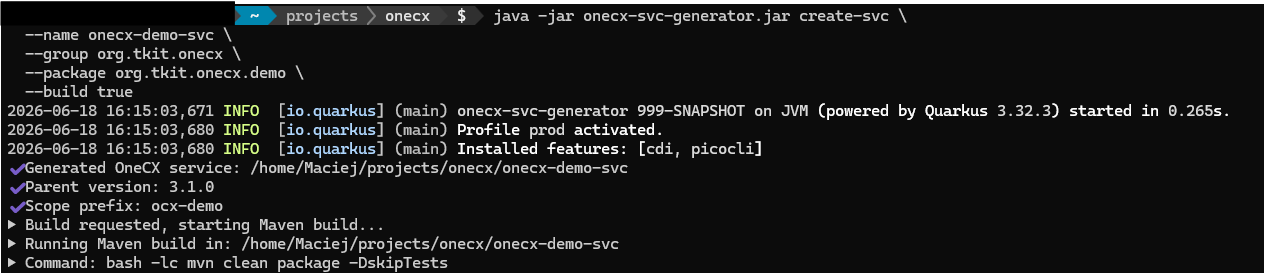
java -jar onecx-svc-generator.jar create-svc \
  --name onecx-demo-svc \
  --group org.tkit.onecx \
  --package org.tkit.onecx.demo \
--build true|
The generator automatically uses the latest versions from GitHub for:
If GitHub API is unavailable, well-tested default versions are used as fallback. The resolved versions are displayed during generation with source information. |
Options
| Option | Description |
|---|---|
|
Specifies the generated project name of the service. The value is used also |
|
Optional to specify the Maven |
|
Optional to specify the Maven |
|
Specifies the base Java package name of the generated service. The value is used for generated application parts created from templates, such as controllers, DAOs, entities, mappers, services, exception mappers and tests. |
|
Optional to specify the parent output directory where the generated service project directory will be created. The generator creates a project folder inside this directory using the value of |
|
Optional to build the generated service project immediately after generation. |
|
Optional to generate the Liquibase changelog by running the Maven |

The generator creates a new directory (named by the value of --name) and sets up the basic structure for dao, controller, api and service.
The source code is located under the base package specified by --package.
* org.tkit.onecx.<package>
Package name for the generated service
Next step may create an entity schema and api components.